
Salesforce User Connectivity Issue — Temporary Solution
We have found a temporary solution to allow our users to continue working securely while addressing a known Salesforce connectivity issue. Please follow the steps below until a permanent fix is provided.
This is a temporary workaround. You will be notified once a permanent resolution becomes available. There is no configuration impact; the issue only affects the way DealHub read/write to Salesforce.
- Create a draft version by duplicating the currently active version.
- Inside the draft version, navigate to Advanced Settings → Salesforce Settings.
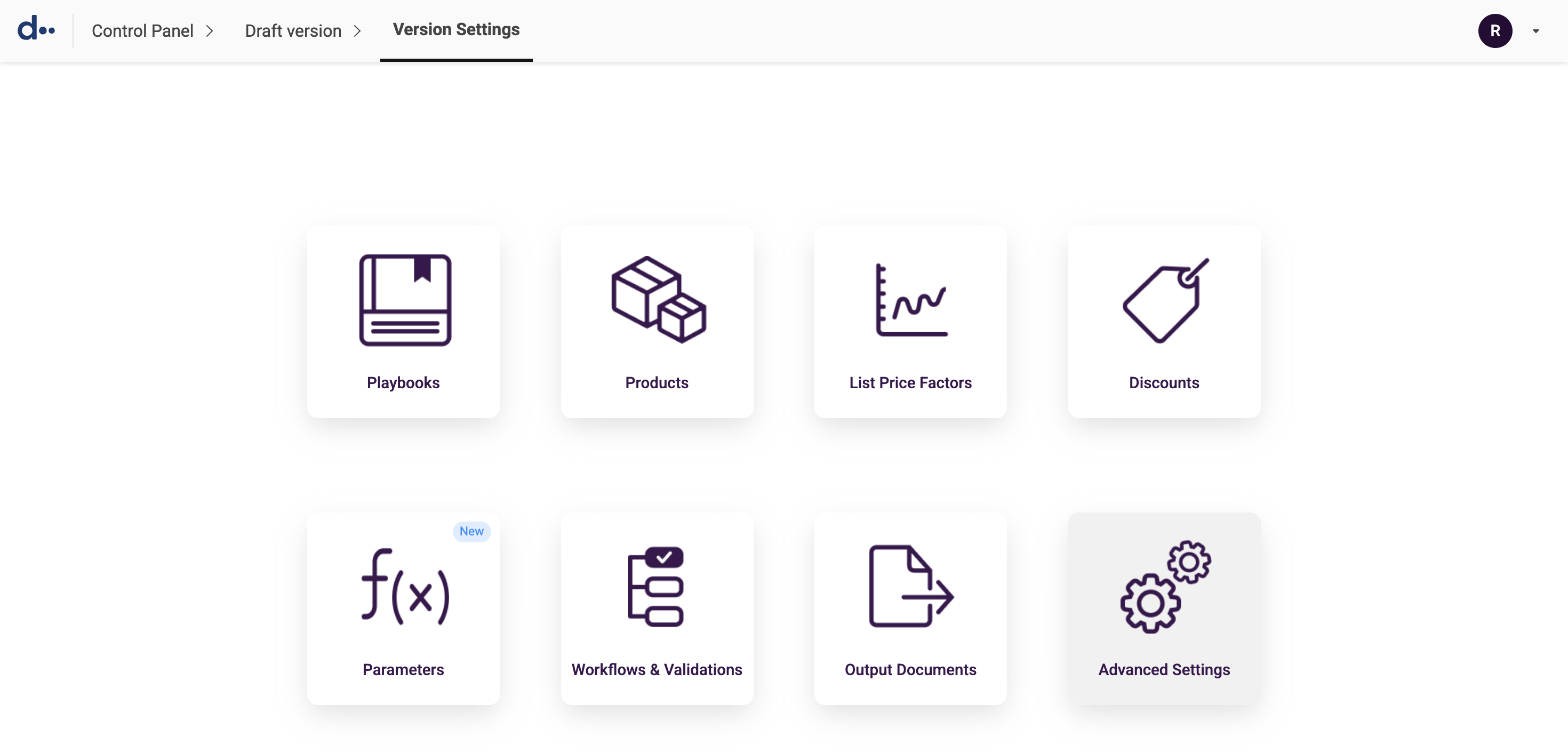
- Click the Advanced Configuration tab.
- Scroll down to locate the 'Sync quote to CRM on behalf of' field.
- Select Integrated User from the dropdown.
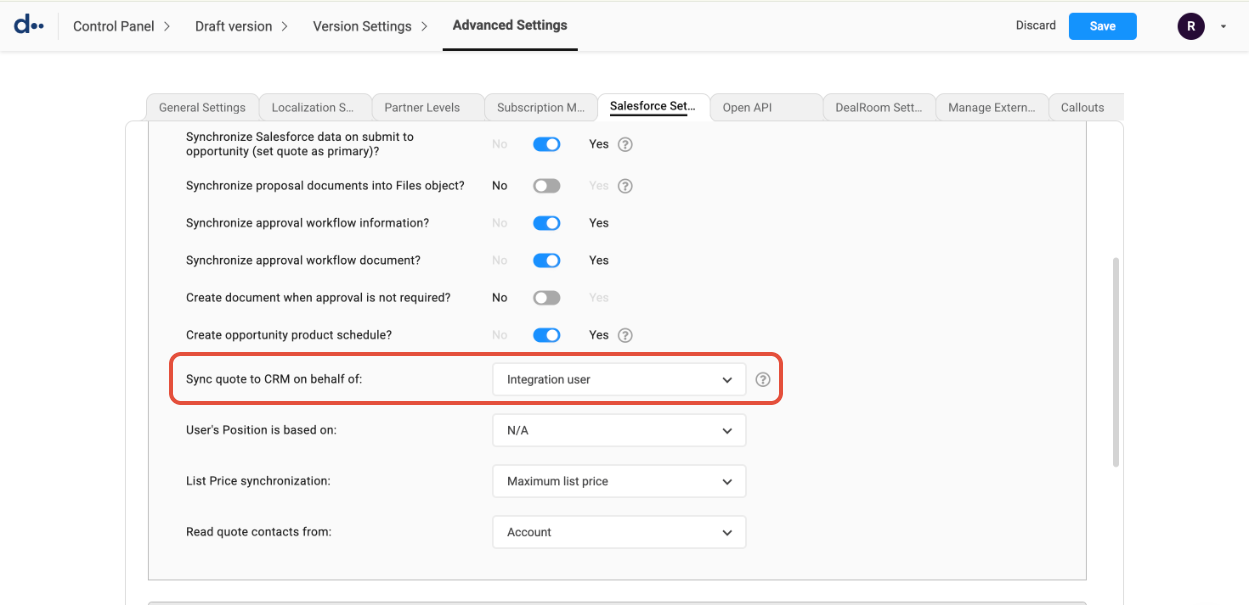
- Click Save.
- Activate the draft version to apply the change.